
QR code generator
Stays in your browser. We never see your link, password or contact.
Parameters
Content
Stays in your browser. We never see your link, password or contact.
Sample code. Enter yours to export.
Shape
Size
Color
Bottom mark
- Your text Seller
- Off Seller
Pressed into the bottom, mirrored — reads from below.
More settings are on a computer
Enter a link, your Wi-Fi network or a contact card and the QR code builds in 3D as you type. Pick a flat plate, a plate with a hole for a bag tag, or a tilted sign that stands on its own, add a caption and choose two colors. It suits cafés, guest rooms, market stalls and shop shelves: people scan the printed code with a phone instead of typing.
The code is raised on a plate, dark on light, which is what phone cameras read best. Fabulayer picks the error-correction level for you and checks that each module is wide enough for a 0.4 mm nozzle. If the code is too dense, it tells you to make it bigger or the text shorter. With two colors the print pauses once, at the top of the plate.
Everything runs in your browser. The link, the Wi-Fi password and the contact details are never sent to us, never saved and never put in a share link or a file name, and reloading the page clears them. Only the caption is saved with your design, like a name on the other generators.
Export a 3MF for Bambu Studio and OrcaSlicer, or an STL for any slicer. Browse Ready designs, or see what Seller adds if you sell your prints.
Frequently asked questions
Will the printed code scan?
Yes, when the code is dark on a light plate and the modules are wide enough. The generator shows the module size under the size slider and warns you when the code is too dense for a phone to read easily. Test it with your phone before you put it up.
What can I put in the code?
A web address (up to 300 characters, https:// is added for you), a Wi-Fi network with its password, or a contact card with a name, phone, email, company and website. The text must fit in 300 bytes, and a counter shows how much you have used.
Does my Wi-Fi password go anywhere?
No. The link, the password and the contact details stay in your browser. They are not sent to our servers, not saved on your device and not included in share links, file names or analytics. Reload the page and they are gone, so keep your own copy.
Which print settings work best?
Use a 0.4 mm nozzle, 0.16 to 0.20 mm layers and matte PLA, because glossy filament reflects light and is harder to scan. The print has one filament change at the top of the plate: the code and the caption are raised above it in the second color.
Loading the 3D engine…
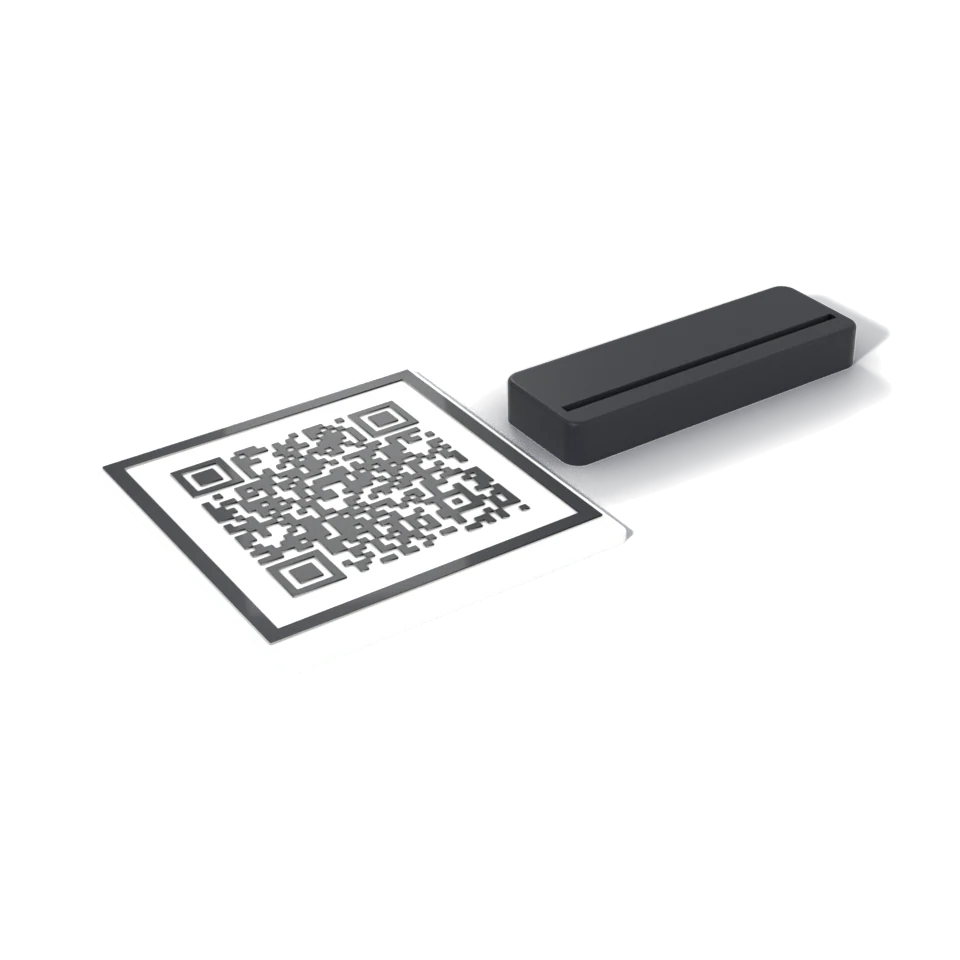
Enter a link, your Wi-Fi network or a contact card and the QR code builds in 3D as you type. Pick a flat plate, a plate with a hole for a bag tag, or a tilted sign that stands on its own, add a caption and choose two colors. It suits cafés, guest rooms, market stalls and shop shelves: people scan the printed code with a phone instead of typing.
The code is raised on a plate, dark on light, which is what phone cameras read best. Fabulayer picks the error-correction level for you and checks that each module is wide enough for a 0.4 mm nozzle. If the code is too dense, it tells you to make it bigger or the text shorter. With two colors the print pauses once, at the top of the plate.
Everything runs in your browser. The link, the Wi-Fi password and the contact details are never sent to us, never saved and never put in a share link or a file name, and reloading the page clears them. Only the caption is saved with your design, like a name on the other generators.
Export a 3MF for Bambu Studio and OrcaSlicer, or an STL for any slicer. Browse Ready designs, or see what Seller adds if you sell your prints.
Frequently asked questions
Will the printed code scan?
Yes, when the code is dark on a light plate and the modules are wide enough. The generator shows the module size under the size slider and warns you when the code is too dense for a phone to read easily. Test it with your phone before you put it up.
What can I put in the code?
A web address (up to 300 characters, https:// is added for you), a Wi-Fi network with its password, or a contact card with a name, phone, email, company and website. The text must fit in 300 bytes, and a counter shows how much you have used.
Does my Wi-Fi password go anywhere?
No. The link, the password and the contact details stay in your browser. They are not sent to our servers, not saved on your device and not included in share links, file names or analytics. Reload the page and they are gone, so keep your own copy.
Which print settings work best?
Use a 0.4 mm nozzle, 0.16 to 0.20 mm layers and matte PLA, because glossy filament reflects light and is harder to scan. The print has one filament change at the top of the plate: the code and the caption are raised above it in the second color.